Windows transcription software with GPU acceleration
TrueScribe runs Whisper locally on Windows, installed from the Microsoft Store, and uses AMD, Intel and NVIDIA graphics cards through Vulkan with no CUDA toolkit to install.
Published
You want transcription software that runs on your Windows PC, uses the graphics card you already have and does not ask for an account. TrueScribe is a native Windows app, installed from the Microsoft Store, that transcribes audio and video with Whisper on your own machine. The same app ships for Linux as an AppImage. There is no macOS version.
How it works in TrueScribe
Install TrueScribe from the Microsoft Store and open it. On first use it picks a Whisper model that suits your hardware and downloads it once. From then on, transcription runs offline.
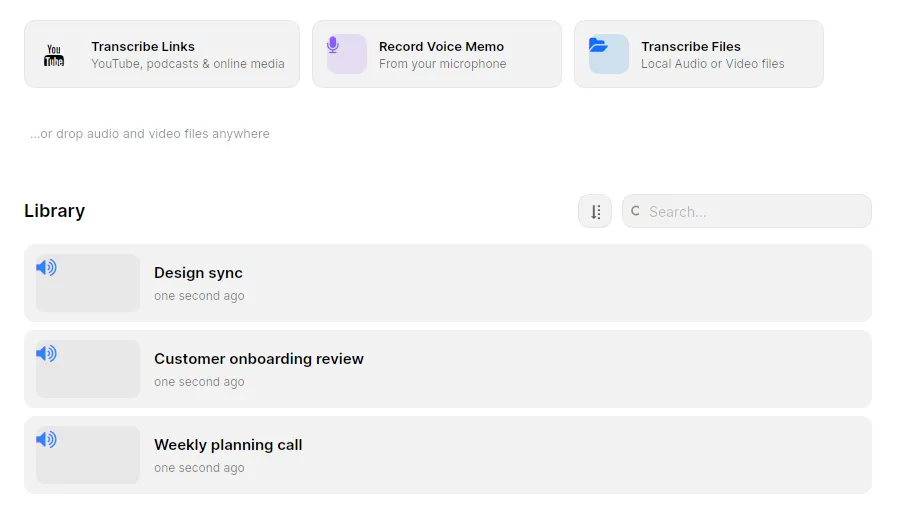
Drop an audio or video file anywhere in the window, or use the actions above the library. Transcribe Files opens local recordings, Record Voice Memo records from your microphone, and Transcribe Links takes a direct media link or a supported video page such as YouTube or Twitch with Pro.
The graphics card speeds up transcription without any setup. TrueScribe ships its own Vulkan runtime, so AMD, Intel and NVIDIA graphics cards accelerate transcription with the graphics driver you already have. There is no CUDA toolkit to install and no engine to choose. Integrated graphics and machines without a graphics card transcribe on the CPU. The suggested model is matched to the machine it runs on, so faster hardware mainly means faster results.
Pro records meetings on Windows. You can record a single app, such as Teams, Zoom, Discord, Webex, Slack or a browser, or all system audio. Recording a single app needs Windows 10 version 2004 or later; on older versions TrueScribe records all system audio and says so. When a meeting app starts using the microphone, a small popup offers to record, and you can turn that off in Preferences. A live transcript labels you and the other side as the meeting runs.
Windows has a system tray, so Pro watch folders keep transcribing new files after you close the window.
What you get
- Unlimited transcription of local audio and video files with every available transcription model. Free.
- GPU acceleration on AMD, Intel and NVIDIA graphics cards, or CPU transcription where there is no graphics card. Free.
- Dictation recording, history, playback, editing with undo and redo, and search across the library. Free.
- AI Research about a transcript with a local model or a cloud provider you configure. Free.
- Custom vocabulary and automatic replacements for names and jargon. Free.
- Export as TXT, SRT and WebVTT. Free. Pro adds documents and structured data.
- Meeting recording from any call app, with a live transcript and an automatic summary with the model you choose. Pro.
- Speaker detection and naming with NVIDIA Nemotron 3. Pro.
- Local AI translation into 25 languages. Pro.
- Watch folders, batch transcription and direct YouTube and Twitch transcription. Pro.
Pro is a one-time purchase of US$64 for up to three devices, Windows or Linux.
Limits
- The first transcription needs a connection to download the selected model. After that, transcription works offline.
- A graphics card is not required. The suggested model follows your hardware, and faster hardware mainly means faster results.
- Recording a single app during a meeting needs Windows 10 version 2004 or later. Older versions record all system audio.
- TrueScribe uses the network for model downloads, media links, licence checks, updates and error reporting. Recordings and transcripts stay on your computer.
- If you choose a cloud model for transcription, translation or AI Research, the content needed for that operation leaves your device.
- No macOS. Windows and Linux only.
7 transcription apps for Windows and Linux compared puts TrueScribe next to Buzz, Vibe, noScribe, Subtitle Edit, Otter.ai and f4. MP3 to text walks through the first file, from dropping it into the library to the export formats. If you are looking for a Mac app on Windows, MacWhisper for Windows explains what TrueScribe does instead.
Download TrueScribe from the Microsoft Store, or see what Pro includes.