Transcribe and translate recordings into 25 languages
Transcribe a recording on your own computer, then translate the transcript locally into one of 25 languages with TrueScribe Pro and keep the original next to it.
Published
You have a recording in one language and need the text in another. A Spanish interview for an English report, a German lecture for a colleague who reads only English, a customer call you want to share with a team abroad. TrueScribe transcribes the recording on your own computer and, with Pro, translates the transcript there as well. Nothing goes to a translation service unless you configure a cloud provider yourself.
This guide uses TrueScribe on Windows or Linux.
How it works in TrueScribe
Drop the audio or video file into the library. TrueScribe runs Whisper locally and picks a model that suits your hardware. It downloads that model once, on first use, and transcribes offline from then on. It detects the spoken language automatically, or you select it, so a Spanish recording comes out as Spanish text.
With the transcript open, use the Translation panel next to the text. Pick the target language and TrueScribe translates the transcript with a local model. The panel offers a switch between Translation and Original, so you read either version while the recording plays and keep both available while you review.
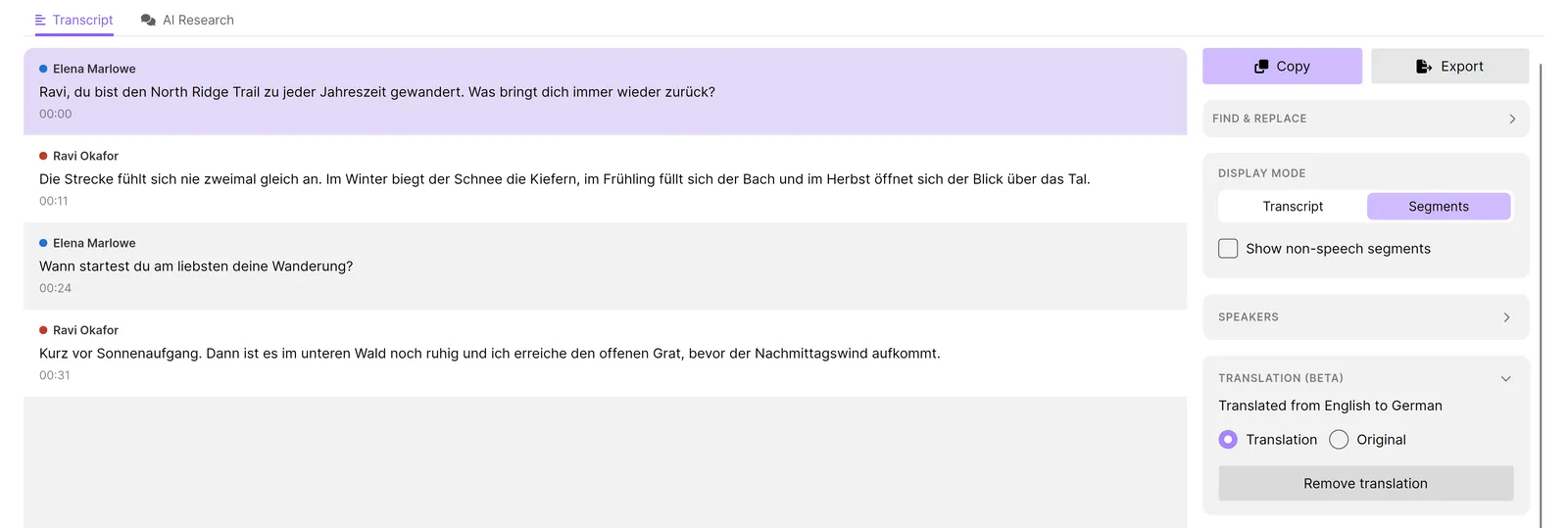
Read the translation against the original before you pass it on. Translation output can contain errors, and names, numbers and technical terms deserve a second look. Play the recording back against the waveform and correct the text with undo and redo, as in any transcript.
What you get
- Local transcription of audio and video files with Whisper, in the language that was spoken, with no file or time limit. Free.
- Automatic language detection, or the language you select. Free.
- Local AI translation of the transcript into 25 languages, with the original kept. Pro.
- A switch between the translation and the original while you review. Pro.
- Speaker detection and naming. Pro.
- Search across every transcript in the library, and AI Research with a local model. Free.
- Export as TXT, SRT and WebVTT. Free. Pro adds documents and structured data. Export while the Translation view is showing, and a subtitle file keeps the original timing with the translated text.
- Batch transcription of many files at once, and watch folders that transcribe new files automatically. Pro.
Pro is a one-time purchase of US$64 for up to three devices.
Limits
- Translation is a Pro feature. The Free version transcribes but does not translate.
- The translation is text. TrueScribe does not produce a spoken or dubbed version of the recording.
- The target languages are the 25 that the local translation model covers. Transcription itself uses Whisper, which covers a wider range of languages.
- Translation runs on your hardware by default. If you configure a cloud provider for translation instead, that provider receives the transcript text it needs for each request, and the local privacy guarantee does not apply to it.
- Speech recognition and translation both make mistakes. A translation of a wrong transcript is wrong twice, so correct the original first.
- TrueScribe uses the network for model downloads, media links, licence checks, updates and error reporting. The recording and the transcript stay on your computer.
If the recording is a video, Video to text covers transcribing MP4 and other formats without conversion and exporting the subtitle file that carries the translated text. For audio episodes, Transcribe podcast episodes to text and show notes covers queueing a back catalogue and drafting show notes from the transcript. Buzz and Vibe translate with Whisper into English, and Buzz reaches other languages through an API you set up; the comparison with Buzz and Vibe has the sources.
Download TrueScribe to transcribe a recording, or see what Pro includes.