Video to text: transcribe MP4 and other video offline
Drop an MP4, MKV, MOV or WebM file into TrueScribe and get a transcript or a subtitle file on your own computer, with nothing to convert and no upload.
Published
To turn a video into text, you do not have to extract the audio first. Drop the video file into a transcription app that reads video containers, let it transcribe the soundtrack on your computer, correct the text against the playback, and export it as a text file or as subtitles. TrueScribe accepts MP4, MKV, MOV, WebM, AVI, WMV, FLV and M4V, so an MP4 to text job starts with the file you already have.
This guide uses TrueScribe on Windows or Linux. Transcribing a local video file is part of the free version, with no time or file limit, and the file never leaves your computer.
Why video needs no conversion
A video file carries its soundtrack inside the container. TrueScribe reads the sound from the file and transcribes that, so there is nothing to convert and no second copy of the recording on your disk. A screen recording, a lecture capture, a downloaded Google Meet call or a clip from a camera all work the same way. The recording and its transcript stay together in the TrueScribe library.
How it works in TrueScribe
- Select Transcribe Files on the home screen and pick the video, or drop the file anywhere in the window.
- TrueScribe detects the spoken language. If you know it, you can select it instead.
- Wait for the transcript, then open it from the library.
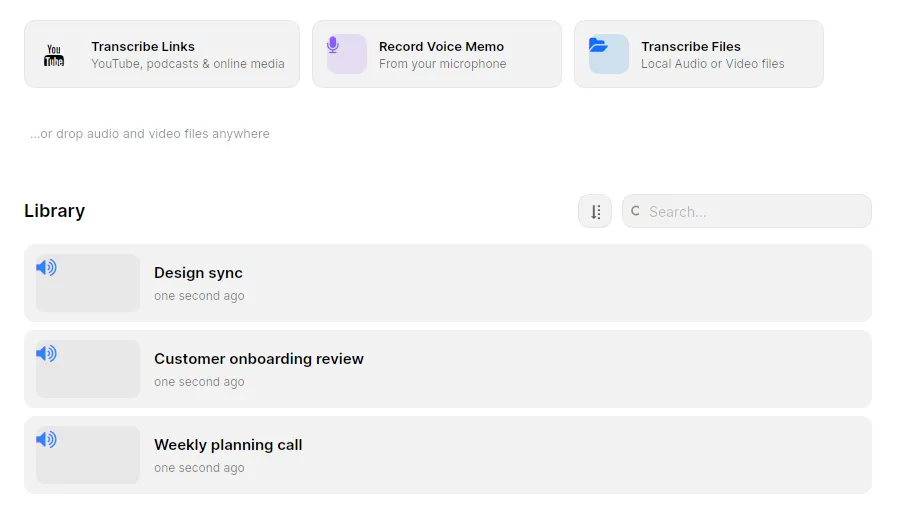
TrueScribe transcribes with Whisper on your computer. The first run downloads a model that suits your hardware, and after that transcription runs offline. AMD, Intel and NVIDIA graphics cards speed it up with no CUDA toolkit or driver setup, and a machine without a graphics card transcribes on the CPU. A long video takes longer on a slower computer, but the file stays on it.
Play the recording back against the waveform and correct the text where it differs, with undo and redo if you change your mind. To transcribe MP4 to text in bulk, Pro queues many files as one batch, and a watch folder transcribes every video that lands in a folder you choose.
What you get
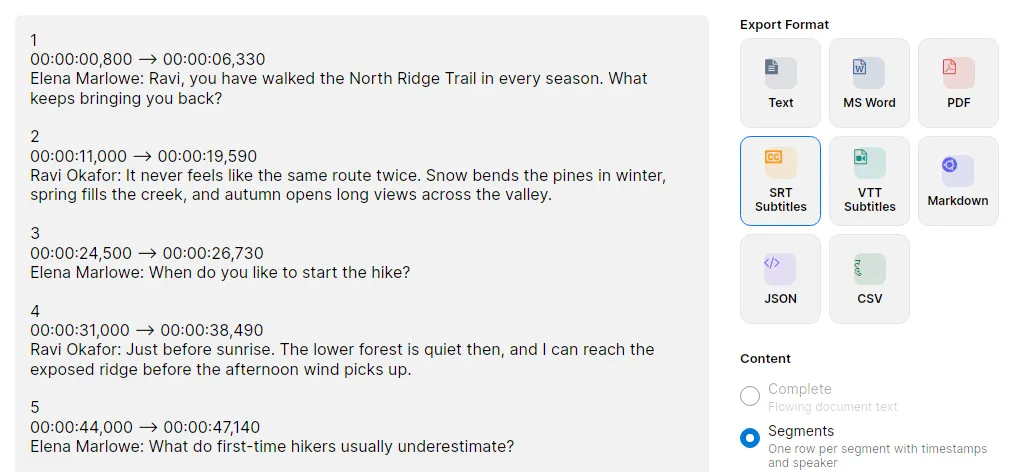
- A transcript with timestamps (Free). Every segment carries its start time. Export it as TXT with the timestamps kept under Segments, or as continuous prose under Complete.
- SRT and WebVTT subtitles (Free). Each segment becomes one subtitle with a start and end time. Select Export, choose SRT Subtitles or VTT Subtitles, and check the preview before you save. YouTube and DaVinci Resolve read both formats, and Premiere Pro and VLC read SRT.
- Search across every video (Free). The library keeps the recording and the transcript together. Search the text of all your transcripts to find a passage without opening each file.
- Custom vocabulary (Free). Enter names and jargon once, and TrueScribe steers every new transcript toward spelling them right. A replacement rule corrects a term Whisper always mishears.
- Speaker names (Pro). Speaker detection labels who speaks in each segment. You give the labels names, and the names go into the TXT and subtitle exports.
- Translated subtitles (Pro). Translate the transcript locally into one of 25 languages, then export while the Translation view is showing. The subtitle file keeps the original timing with the translated text.
- Documents and data (Pro). DOCX, PDF, Markdown, JSON and CSV on top of TXT, SRT and WebVTT.
Limits
- TrueScribe transcribes the soundtrack. It does not edit video, trim clips, burn subtitles into the picture or style them. Import the SRT or WebVTT file into your video editor or player for that.
- One segment becomes one subtitle. TrueScribe does not wrap or split lines, and you cannot drag a subtitle’s start or end. Merge or delete segments in TrueScribe, and shift all subtitles together in your editor after import if they are off by the same amount.
- Speech recognition makes mistakes, and more of them with background music, people talking over each other and weak microphones. Check the text against the playback before you publish it, especially names and numbers.
- The first transcription needs a connection to download the model. After that it runs offline.
- TrueScribe runs on Windows and Linux. It does not run on macOS.
Related guides
To get a subtitle file into YouTube, Premiere Pro, Resolve or VLC, read Create SRT and VTT subtitles from video offline, which covers merging and deleting subtitles and what each program takes. If the video is online rather than on your disk, Transcribe YouTube video to text on your computer starts from the link. If you are weighing a cloud editor, see how TrueScribe compares with Descript, which transcribes a video after it has uploaded.
Download TrueScribe to transcribe your first video, or see what Pro adds for speaker names, translation and batch transcription.