Transcribe podcast episodes to text and show notes
Turn podcast episodes into text on your own computer, draft show notes from the transcript, export SRT subtitles and search every episode you have transcribed.
Published
To transcribe a podcast, drop the episode file into TrueScribe. It transcribes the audio with Whisper on your computer and keeps the transcript in a library with the recording. You then correct the text, draft show notes from it, export a subtitle file for the video version and search across every episode you have transcribed. Nothing is uploaded, and there is no account.
This guide uses TrueScribe on Windows or Linux. Transcribing an episode file is part of the Free version, with no time or file limit.
How it works in TrueScribe
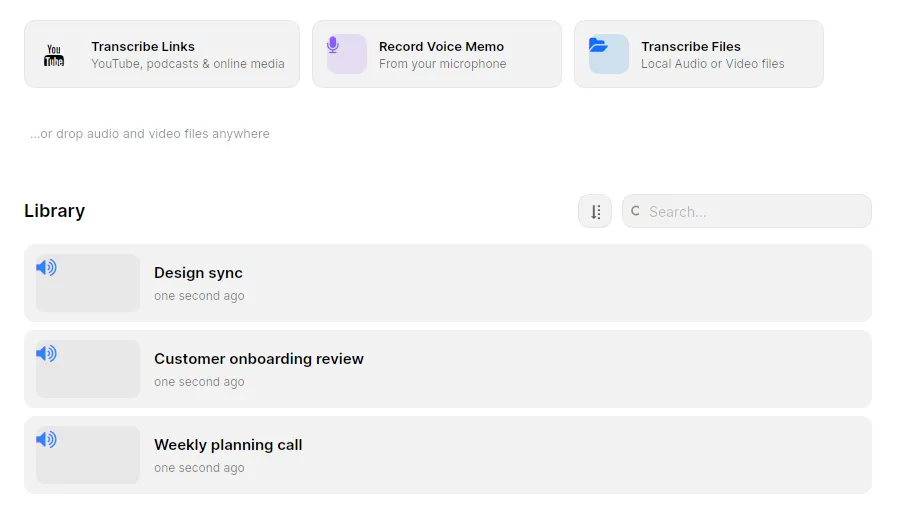
- Select Transcribe Files on the home screen, or drop the episode onto the window. TrueScribe accepts MP3, WAV, M4A, AAC, FLAC, OGG and Opus audio, and MP4, MKV, MOV, WebM, AVI, WMV, FLV and M4V video.
- TrueScribe detects the spoken language, or you select it.
- Wait for the transcript, then open it from the library. A long episode takes longer on a slower computer, but the file stays on it.
TrueScribe downloads Whisper once, on first use, and reuses it offline after that. It suggests a model that suits your hardware and uses an AMD, Intel or NVIDIA graphics card when there is one.
With Pro, you can queue a whole back catalogue at once. Batch transcription takes many files in one go, and a watch folder transcribes every episode that lands in the folder your recorder or sync client writes to. Pro also takes a direct media link, so TrueScribe transcribes an episode that is online as an MP3 address without you downloading it first.
Before the first episode, enter the host and guest names and the terms your show uses under custom vocabulary. TrueScribe steers every new transcript toward spelling them right, and a replacement rule corrects a term Whisper always mishears. Free.
What you get
- A transcript you can check against the audio. Play the episode back against the waveform and correct the text where it differs, with undo and redo. Free.
- Show notes drafted from the transcript. TrueScribe has no show notes button. AI Research answers questions about the transcript, so ask for the topics in order, the names and links mentioned, or a short summary, then select Copy response and edit the draft. It runs with a local model, or with a cloud provider you configure. Free. Pro adds one-click prompts such as Summarize, Highlight Key Points and Extract Questions, and lets you save your own prompt for the next episode.
- Text for the episode page. Export TXT with Content set to Complete for continuous prose without timestamps, or Segments to keep the timestamps and speaker names. The preview shows the file before you save it. Free. Pro adds DOCX, PDF, Markdown, JSON and CSV.
- Subtitles for the video version. Export SRT or WebVTT. Each transcript segment becomes one subtitle with a start and end time, and speaker names go into the file. Free.
- Host and guests told apart. Pro detects who is speaking, labels the voices Speaker 1, Speaker 2 and so on, and lets you name them. The names appear in exports. Pro.
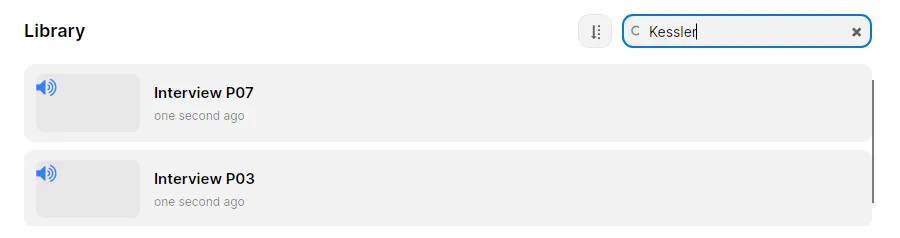
- A searchable archive. Every transcript stays in the library. Search their text to find the episode where a guest said something, without opening each file. Free.
- The episode in another language. Pro translates the transcript locally into 25 languages and keeps the original available. Pro.
Limits
- TrueScribe does not edit audio. It transcribes the episode and hands the text on. Cutting, cleanup and publishing happen in your audio editor and your hosting service.
- Show notes are your edit of an AI draft. AI Research output can contain errors. Read the answer against the transcript before you publish it, especially names, dates and numbers.
- Speaker detection is Pro and knows voices, not people. You give the labels names. Overlapping speech, where host and guest talk at once, is a known weak spot.
- Subtitles are one segment each. TrueScribe does not wrap or split subtitle lines. Shorten a segment that runs long before you export.
- Links, batches and watch folders need Pro. The Free version transcribes the files you add one at a time, without limits on length or number.
- A link needs the network. Transcribing a link, downloading a model, checking your licence and error reporting are the times TrueScribe reaches the network. Transcribing a file on your disk does not.
Related guides
To get the subtitle file into YouTube or a video editor, Create SRT and VTT subtitles from video offline covers the export settings and which programs read which format. For a show that also goes out as video, transcribe YouTube video to text starts from the link instead of the file. Descript edits podcasts by editing their text in the cloud; the Descript comparison shows where it and TrueScribe differ.
Download TrueScribe to transcribe your latest episode, or see what Pro includes for batch transcription, speaker names and translation.